Client Invoices & Payment History
4 min
- On clicking the "Pay Now" Button, Users will be charged automatically off of their default card on stripe.
- Users will then receive an invoice on their email which will be downloadable as a PDF.
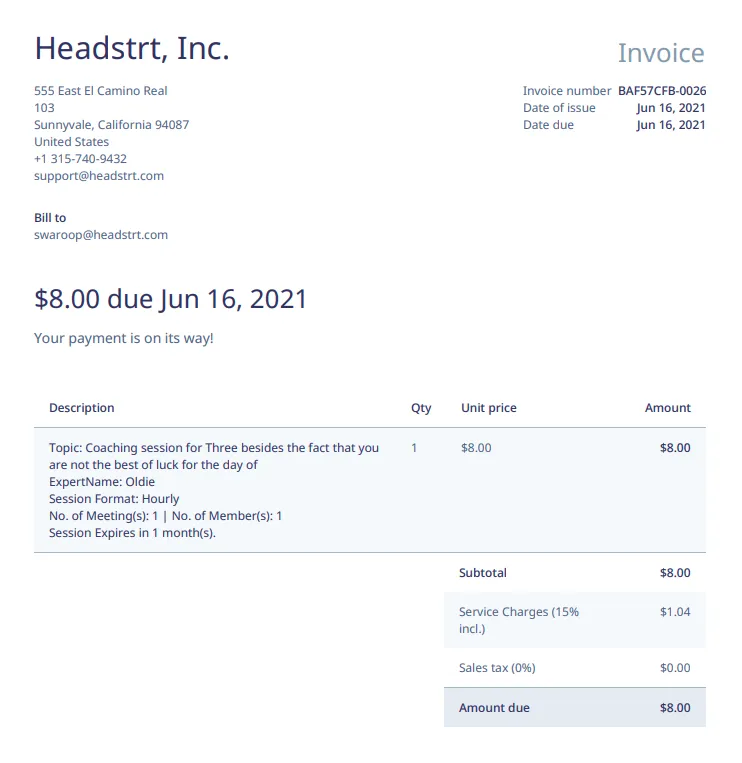
Sample Invoice
Payment History
- Navigating to Payment History
<Bottom Navigation Bar : Profile Icon> -->
<Profile Page : Settings Icon> -->
<Profile Details Page : Payment Details Tag> -->
<Payment Details : Purchase History> -->
<Purchase History>- Also, look at "Changing your User type" for more help on navigating to Personal Details.
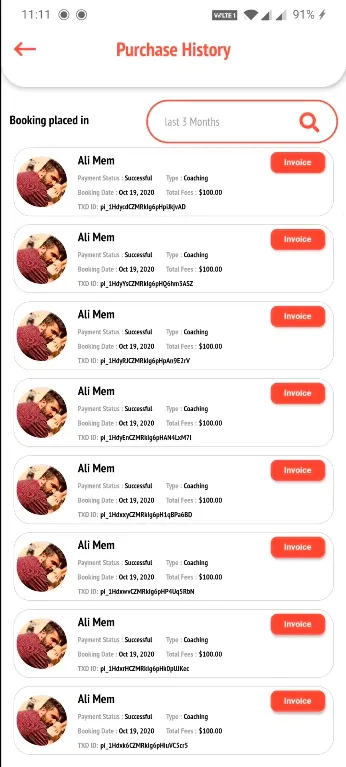
- Once in the Purchase History screen users can view their purchase history and download their invoices directly from the app.